PDF Document Control for Small Contractors: Naming, Revisions and Transmittals
Large projects have document controllers and systems costing thousands. Small contractors and subcontractors have a shared folder, WhatsApp and good intentions, until the wrong revision of a method statement goes to the consultant, or nobody can find the approved ITP during an audit. A few simple rules prevent most of that, and they cost nothing.
Rule 1: One naming pattern for every issued file
Pick a pattern and never deviate from it:
PROJECT-ORIGINATOR-TYPE-NUMBER_RevX_Short-title.pdf
For example P5-DK-MS-014_RevB_Gatch-Road-Base.pdf or P5-DK-ITP-007_Rev0_Earthworks.pdf. If the client or EPC contractor has a numbering procedure, use theirs exactly. Never use "final", "new", "latest" or dates as the only version indicator.
Rule 2: Revisions are letters until approval, numbers after
A common convention: Rev A, B, C for drafts and resubmissions under review; Rev 0 for the first approved, issued-for-construction version; Rev 1, 2 for later approved changes. Whatever convention your project uses, the revision must appear in three places that agree: the file name, the cover page and every page header.
Rule 3: Every page says what it belongs to
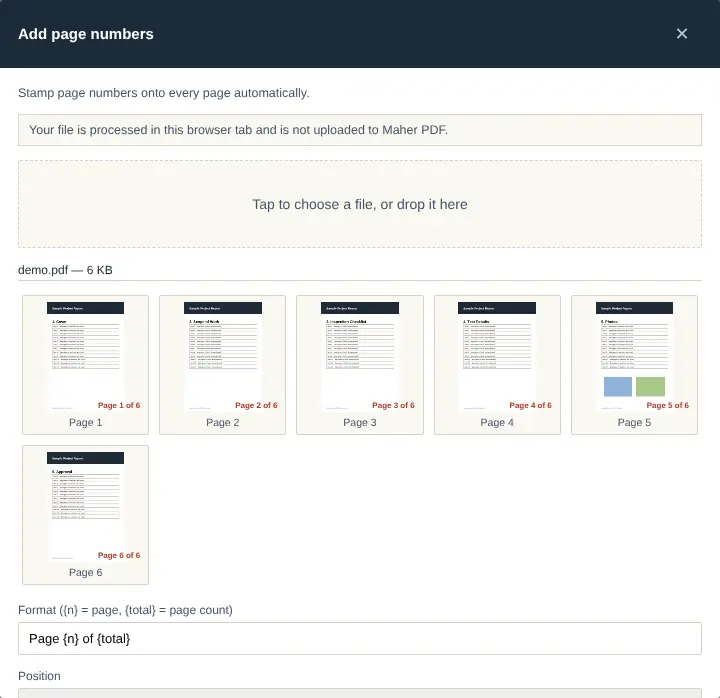
Pages get separated: printed, faxed, extracted for a report. Each page should carry the document number, revision and "Page n of N". If a document was produced without them, add them with Add page numbers using a format such as P5-DK-MS-014 Rev B – Page {n} of {total}.
Rule 4: Mark status visibly
Drafts circulating for internal comment should say so. A diagonal DRAFT or FOR REVIEW watermark (Add watermark) prevents an unapproved copy from being used on site. Superseded copies kept for the record can be marked SUPERSEDED.
Rule 5: Send with a transmittal
A transmittal is a one-page cover that lists what you sent, the revision of each document, the purpose (for approval, for information, for construction) and the date. It is your proof of what was submitted. Put it on top of the package and merge everything into one file with Merge PDF, or send it as the first attachment.
| Document no. | Title | Rev | Purpose |
|---|---|---|---|
| P5-DK-MS-014 | Method Statement – Gatch Road Base | B | For approval |
| P5-DK-ITP-007 | ITP – Earthworks | 0 | For information |
Rule 6: Keep a simple register
A spreadsheet with one row per document: number, title, current revision, status (draft, submitted, approved with comments, approved, superseded), date submitted, date returned, consultant reference. Update it every time something is sent or received. It answers "which revision is approved?" in seconds.
Rule 7: Folders by status, not by person
Use folders such as 01 Working, 02 Issued, 03 Approved, 04 Superseded. Only issued PDFs go into Issued, and they are never edited there. When a new revision is approved, move the old one to Superseded.
Rule 8: Protect what is confidential
Commercial documents (priced BOQs, rates, payment applications) sent by email can be password-protected with Protect PDF, with the password shared by phone or a separate message.
None of this needs special software. It needs consistency, and it makes your company look as organised as the main contractor, which matters when the next subcontract is awarded.
Related guides
- How to Build a Clean PDF Submission Package (Tenders, Material Approvals, Handover Files)Cover, order, orientation, numbering and size: a submittal reviewers can read in one pass.
- Working With PDFs on Your Phone Without Installing Apps (and How to Add Maher PDF to Your Home Screen)Everything you can do with PDFs in your phone's browser, and how to install Maher PDF like an app.
- How to Correct a Method Statement PDF Before ResubmissionFix wording, revision numbers and pages in a method statement PDF without rebuilding it in Word.