How to Sign and Stamp a PDF on Your Phone (With a Clean, Transparent Stamp)
A form needs your signature and the company stamp today, you're on site, and the printer is two hours away. You can do it on your phone in a few minutes. The trick that makes it look professional, instead of like a photo pasted on a page, is removing the paper background from the stamp so only the ink sits on the document.
What you need
- The PDF to sign (from email, WhatsApp or your files).
- For the stamp: a clean impression of the stamp on white paper, and your phone's camera.
- About five minutes.
Step 1: Make a clean stamp image (once)
- Stamp once on plain white paper, pressing evenly. Avoid lined paper.
- Photograph it from directly above in good daylight, filling most of the photo with the stamp. Avoid your phone's shadow.
- Keep this photo; you can reuse it for every document.
A scanner gives even better results if you have one nearby, but a careful phone photo works well because the background removal also corrects shadows.
Step 2: Place the stamp with its background removed
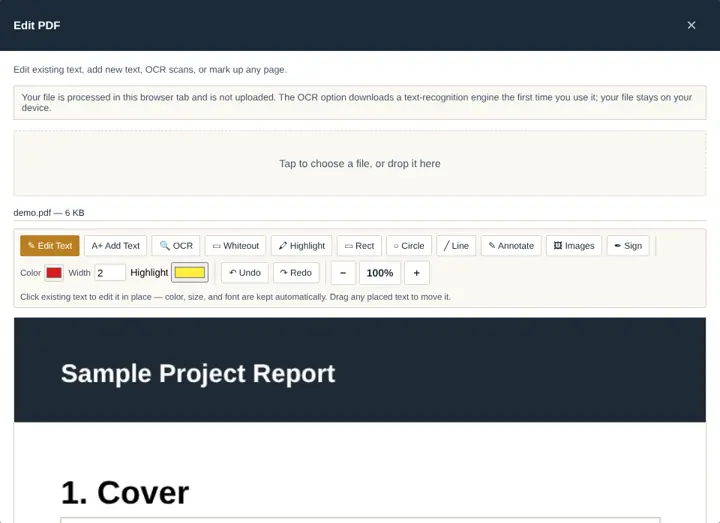
- Open Edit PDF and choose your PDF.
- Tap Images and choose the stamp photo.
- Tick Remove background. The preview shows the stamp on a checkerboard: the checkerboard is where the paper used to be.
- If some grey paper remains, move Strength to the right. If parts of the stamp ring start to disappear, move it back.
- Drag a box on the page where the stamp should go. The stamp keeps its shape inside the box.
Step 3: Add your signature
Tap Sign, draw your signature with your finger, and drag a box where it belongs, usually overlapping the stamp slightly, as on paper. Drawn signatures are already transparent. If you prefer to use a photo of your signature on paper, insert it with Images and Remove background, exactly like the stamp.
Step 4: Fill in the rest
Use Add Text for your name, date and designation. In Edit Text mode, existing text keeps its original font, so dates and names you type blend with the form.
Step 5: Save and send
Tap Save edited PDF. If the file is now large (stamp photos can be several megabytes), run it through Compress PDF before emailing.
Is an image signature legally valid?
For everyday business documents such as delivery notes, inspection forms, timesheets and internal approvals, a placed signature image is widely accepted. For contracts, government forms and anything requiring a verified digital signature (with a certificate), check what the recipient requires; some processes need a certified digital signature service instead of a picture. When in doubt, ask.
Good practice
- Only stamp documents you are authorised to stamp, and keep a copy of everything you sign.
- Don't send your bare stamp or signature image to others; place it yourself.
- Store the stamp photo in a private folder on your phone, not in a shared chat.
Related guides
- How to Add or Insert Page Numbers in a PDF (Page 1 of 10)Add Page 1 of 10, plain numbers or your document reference to every page, and how to skip the cover.
- How to Correct a Method Statement PDF Before ResubmissionFix wording, revision numbers and pages in a method statement PDF without rebuilding it in Word.
- How to Highlight and Mark Up a PDF for Review CommentsHighlight exact areas, circle problems and add notes so the author knows exactly what to fix.